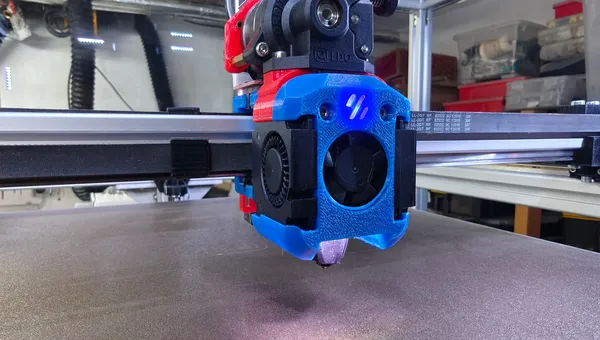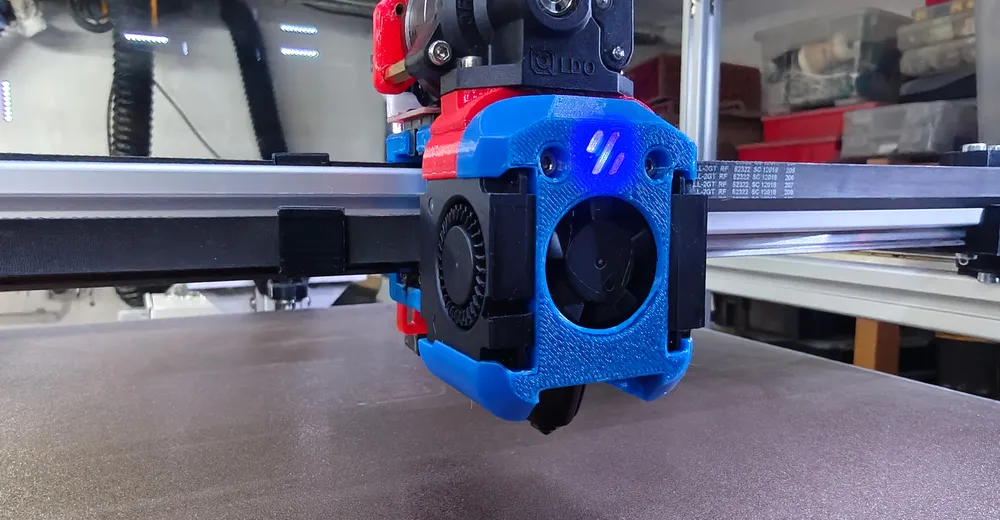
This upgrade runs on a CoreXY self-build with a Dragon Burner toolhead, an LDO Orbiter v2.5 (direct drive) and a BTT Octopus Pro (24 V) – with the hotend wired to an EBB36 CAN toolboard at the print head. Do all hotend work only with the printer powered off. After swapping the hotend the Z offset changes – so re-measure it afterwards (see my Eddy/descend_z article).
Why high flow at all?
The decisive figure is volumetric flow in mm³/s – how much molten filament the nozzle can push out per second. A classic V6-style hotend sits roughly at 10–15 mm³/s before under-extrusion starts. A high-flow heat block like the Rapido 2F has a longer melt zone and manages noticeably more.
But that only helps if you actually use the flow: large nozzles (0.6/0.8 mm), high print speed, thick layers, big parts. On small detailed parts at 0.4 mm and moderate speed you'll barely notice a difference – then the upgrade is more a future investment than an instant win.
My setup
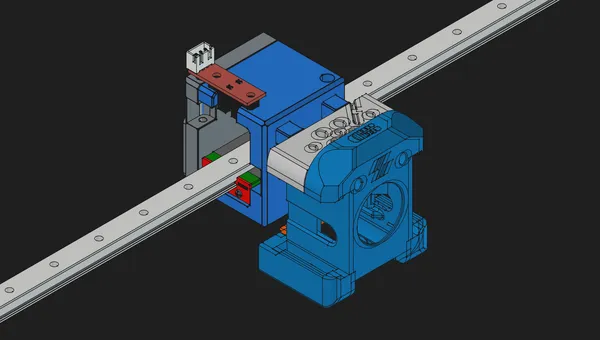
CoreXY self-build with a Dragon Burner toolhead and an LDO Orbiter v2.5 as a direct-drive extruder. The mainboard is a BTT Octopus Pro (24 V); at the print head sits an EBB36 CAN toolboard – so the hotend heater, the PT1000 sensor and the fans all run through the toolboard, not directly off the mainboard. The Dragon Burner is modular: depending on the front it takes different hotends – I run the Rapido 2F variant (high flow, PT1000, up to 300 °C). Important before buying/printing: pick the Dragon Burner front that matches your hotend, otherwise the Rapido won't seat properly.
Ad · Affiliate link – if you buy through it, I may earn a commission. It doesn’t change the price for you.

Mounting
- Printer powered off, remove the old hotend from the Dragon Burner front (disconnect heater cartridge + sensor).
- Seat the Rapido 2F in the matching front – flat fit, correct height to the nozzle and the part-cooling fan. The Orbiter v2.5 sits right above it as direct drive: keep the filament path short and clean.
- Put the silicone sock on: more stable temperature, cleaner heat block.
- Align the part cooling, route the cables with strain relief – the thin PT1000 wires break over time otherwise.
Wiring the PT1000 on the CAN toolboard
The biggest config difference vs a standard hotend: the Rapido uses a PT1000, not an NTC thermistor. On my build it sits on the EBB36 CAN toolboard right at the print head – the PT1000 goes to the temperature input TH0, the heater cartridge to HE0. Polarity doesn't matter – a PT1000 is just a resistor. In Klipper sensor_type: PT1000 is enough; the EBB36 already provides the matching sense resistor, so no extra pullup_resistor is needed.
Honest note for the direct connection: if you wire the Rapido without a toolboard to a mainboard like the Octopus, you use a temperature port (e.g. T0) with the onboard 4.7 k pullup (pullup_resistor: 4700) – then the resolution is a bit coarser at high temperatures. Over the CAN toolboard you don't have that issue.
[extruder]
# LDO Orbiter v2.5 (direct drive) on the EBB36 CAN toolboard
step_pin: toolboard0:EXT_STEP
dir_pin: toolboard0:EXT_DIR
enable_pin: !toolboard0:EXT_EN
rotation_distance: 4.637   # Orbiter v2.5 - fine-tune with a measure test
microsteps: 16
full_steps_per_rotation: 200
nozzle_diameter: 0.400
filament_diameter: 1.750
heater_pin: toolboard0:HE0
sensor_pin: toolboard0:TH0
sensor_type: PT1000        # EBB36 has the sense resistor -> no pullup_resistor needed
min_temp: 0
max_temp: 300              # Rapido 2F is rated to 300 C
max_extrude_only_distance: 1400
pressure_advance: 0.06     # direct drive -> calibrate below
# control:/pid_* are written automatically by PID_CALIBRATE -> SAVE_CONFIG

[tmc2209 extruder]
uart_pin: toolboard0:EXT_UART
run_current: 0.85
stealthchop_threshold: 0
Ad · Affiliate link – if you buy through it, I may earn a commission. It doesn’t change the price for you.

PID tuning first
New hotend, new heater cartridge, new mass – so recalibrate PID before the first real print, otherwise the temperature swings. In the Klipper console:
PID_CALIBRATE HEATER=extruder TARGET=240
SAVE_CONFIG   # writes control: pid + pid_Kp/Ki/Kd into printer.cfg
Finding the real volumetric flow
Don't rely on the manufacturer's figure – your real flow depends on filament, temperature and nozzle. The simplest method via the console: extrude in fixed steps at printing temperature and listen for when the Orbiter clicks or under-extrudes.
# Hotend at printing temperature (e.g. 240 C), then:
M83                  # relative extrusion
# feedrate F[mm/min] = flow[mm^3/s] / 2.405 * 60   (1.75 mm)
G1 E50 F360          # ~15 mm^3/s  -> still clean?
G1 E50 F480          # ~20 mm^3/s  -> still clean?
G1 E50 F600          # ~25 mm^3/s  -> does it click?
# first rate that clicks/under-extrudes = the limit. Usable: ~ -10 %.
Enter the value you found in your slicer as max volumetric speed (mm³/s) – that automatically caps the speed, regardless of the speed profile. I'll add my concrete value once I've averaged across several filaments. In Klipper I mainly raised the extrusion limits so loading/purging and long extrusions don't get throttled – you only really need to raise max_extrude_cross_section for large nozzles (for 0.4 mm the default around 0.8 is fine):
[extruder]
max_extrude_only_distance: 1400   # generous for loading/purging
max_extrude_only_velocity: 75
max_extrude_only_accel: 1500
# only raise max_extrude_cross_section for large nozzles (default ~0.8 is fine for 0.4 mm)
Recalibrating pressure advance
Different hotend, different heat break, different melt pressure – your old pressure-advance value no longer fits. With the Orbiter v2.5 as direct drive the values are low anyway (roughly 0.03–0.08; 0.06 on my build), unlike Bowden. The fastest way is the Klipper tuning tower:
# print a PA tower (slow + fast segment in the model):
TUNING_TOWER COMMAND=SET_PRESSURE_ADVANCE PARAMETER=ADVANCE START=0 FACTOR=.002
# read off the nicest height -> PA = height_in_mm * FACTOR
SET_PRESSURE_ADVANCE ADVANCE=0.06
# then put the best value into [extruder] pressure_advance
What I left out
- Filament-specific flow: PETG and PLA behave differently – one value for everything is pragmatism, not an optimum.
- Z offset & bed mesh: redo after the hotend swap – see my Eddy article and the firmware update.
- Input shaping: its own topic – worth it once high flow actually lets you print faster.
- The concrete mm³/s figure: comes after a proper multi-run test, instead of guessing it now.
Conclusion
The Rapido 2F is no plug-and-play miracle, but an honest win as soon as you run large nozzles or high speeds. The real effort isn't the mounting, it's the calibration: PID, volumetric flow, pressure advance. Do those three cleanly and the extra flow actually lands on the plate.
Ad · Affiliate link – if you buy through it, I may earn a commission. It doesn’t change the price for you.