This article is part of the Homelab Self-Hosting Guide – the curated learning path for your own homelab.
Why have a pipeline at all?
Deploying a Django project „real quick” to the server works for a while – until you forget a migration, skip collectstatic, or half the config only exists locally. A CI/CD pipeline makes the path from git push to production repeatable and verifiable: test, build the image, roll out – the same way every time, no manual work.
This article shows my setup with GitLab CI for a Wagtail/Django app deployed as a Docker image. Secrets, hostnames, and registry are masked – the structure is directly transferable.
The branch flow
I run a simple but disciplined flow:
develop– the working branch; the test stage runs here on every push.main– merging intomaintriggers the full build + deploy to production.
No direct pushes to main, no deploy without green tests. That alone prevents most „Friday-night accidents”.
The pipeline at a glance
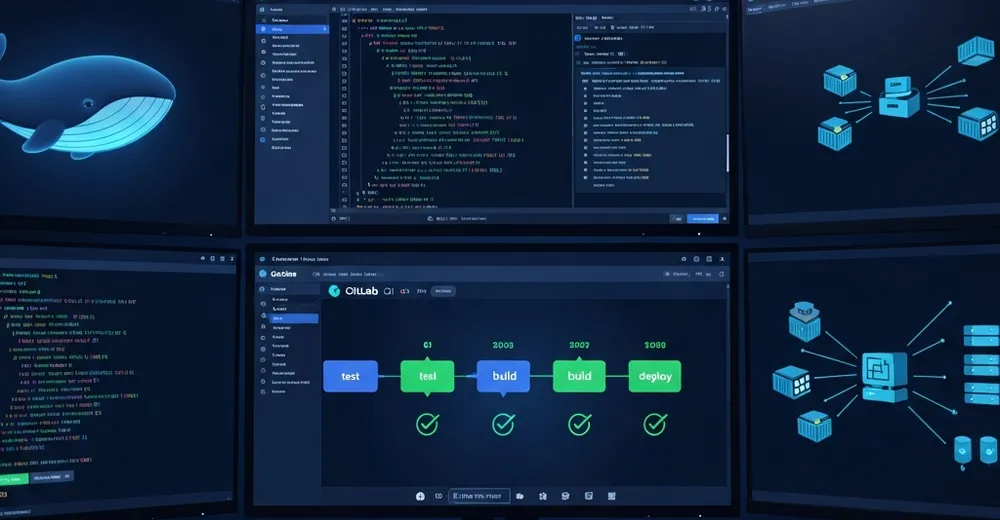
Three stages: test → build → deploy. Only main builds and deploys; develop only tests.
stages:
  - test
  - build
  - deploy

variables:
  IMAGE: $CI_REGISTRY_IMAGE:production
  DOCKER_BUILDKIT: "1"
Stage 1: Lint & Test
Before anything is built, the code has to be testably clean. Linting (ruff) and the test suite (pytest) run on every push – on develop as well as main.
test:
  stage: test
  image: python:3.11-slim
  services:
    - postgres:16
  variables:
    DATABASE_URL: "postgres://postgres:postgres@postgres:5432/test"
  before_script:
    - pip install -r requirements.txt -r requirements-dev.txt
  script:
    - ruff check .
    - python manage.py makemigrations --check --dry-run   # forgotten migration = failure
- pytest -qThe makemigrations --check --dry-run step aborts the pipeline if model changes were committed without a matching migration. That has saved me more than one broken deploy.
Stage 2: Build the image
The core of my strategy: the code is baked into the image. That makes the image an immutable artifact – exactly what was tested is what runs in production. No git pull on the server, no surprises.
build:
  stage: build
  image: docker:27
  services:
    - docker:27-dind
  rules:
    - if: $CI_COMMIT_BRANCH == "main"
  before_script:
    - echo "$CI_REGISTRY_PASSWORD" | docker login -u "$CI_REGISTRY_USER" --password-stdin "$CI_REGISTRY"
  script:
    - docker build -t "$IMAGE" .
    - docker push "$IMAGE"
In the Dockerfile, collectstatic runs alongside the code – so the finished static files are already in the image:
FROM python:3.11-slim
WORKDIR /app
COPY requirements.txt .
RUN pip install --no-cache-dir -r requirements.txt
COPY . .
RUN python manage.py collectstatic --noinput
CMD ["./entrypoint.sh"]
Stage 3: Deploy
The deploy job connects to the production host over SSH, pulls the fresh image, and restarts the containers. The actual logic (migrations!) lives in the container start, not in the CI job – more on that shortly.
Ad · Affiliate link – if you buy through it, I may earn a commission. It doesn’t change the price for you.

deploy:
  stage: deploy
  image: alpine:3
  rules:
    - if: $CI_COMMIT_BRANCH == "main"
  before_script:
    - apk add --no-cache openssh-client
    - eval $(ssh-agent -s); echo "$DEPLOY_SSH_KEY" | ssh-add -
  script:
    - ssh $DEPLOY_USER@$DEPLOY_HOST "cd /srv/app && docker compose pull && docker compose up -d"
Running migrations safely
The most important question in any Django deploy: who runs the migrations – and when? I do it in the container entrypoint, at startup, before the web server comes up:
#!/bin/sh
set -e
python manage.py migrate --noinput
exec gunicorn myproject.wsgi:application --bind 0.0.0.0:8000 --workers 3Migrations must be backwards-compatible: during the rollout, old and new containers run side by side for a moment. Dropping a column the old code still reads will crash it. Rule: first the additive migration + new code, then the cleanup in the next deploy. Renaming columns = never in one step.
Secrets & CI variables
No passwords in the repo. Everything sensitive comes from the CI/CD variables in GitLab (Settings → CI/CD → Variables), marked protected + masked:
# for reference only – values live in GitLab, not in the repo
DEPLOY_SSH_KEY   # private key for the deploy user (protected)
DEPLOY_HOST      # production host
CI_REGISTRY_*    # provided automatically by GitLab
DJANGO_SECRET_KEY, DATABASE_URL  # via .env.production on the host
Zero-downtime – the honest version
A single host with docker compose up -d is not real zero-downtime – there's a brief window during the container swap. For my use case (a hobby/side-project site) that's totally fine: a few seconds, cushioned by a healthcheck and restart: unless-stopped.
If you need true zero-downtime, there's no way around rolling or blue-green deployments (two parallel stacks, switching via a reverse proxy). That's a topic of its own – and overkill for most maker projects.
What I left out
Deliberately not covered: caching the pip layer (saves build time but would distract here), review apps per merge request, container registry cleanup (old images pile up), and real blue-green deployments. All worthwhile – but not needed to deploy cleanly and repeatably.
Conclusion
A lean test → build → deploy pipeline takes the stress out of deploying: tested code becomes an immutable image, migrations run deterministically at startup, secrets stay outside the repo. Deliberately pragmatic, not over-engineered – exactly the right amount for a self-hosted Django/Wagtail project.
Ad · Affiliate link – if you buy through it, I may earn a commission. It doesn’t change the price for you.