
Traefik vs. Nginx Proxy Manager – Why I (Didn't) Switch
Two years of NPM, three weeks of Traefik testing, an honest verdict.
After two years with Nginx Proxy Manager I tested Traefik in my homelab. This article pragmatically explains where Traefik really wins, where NPM is enough, and why I ended up running a hybrid setup.
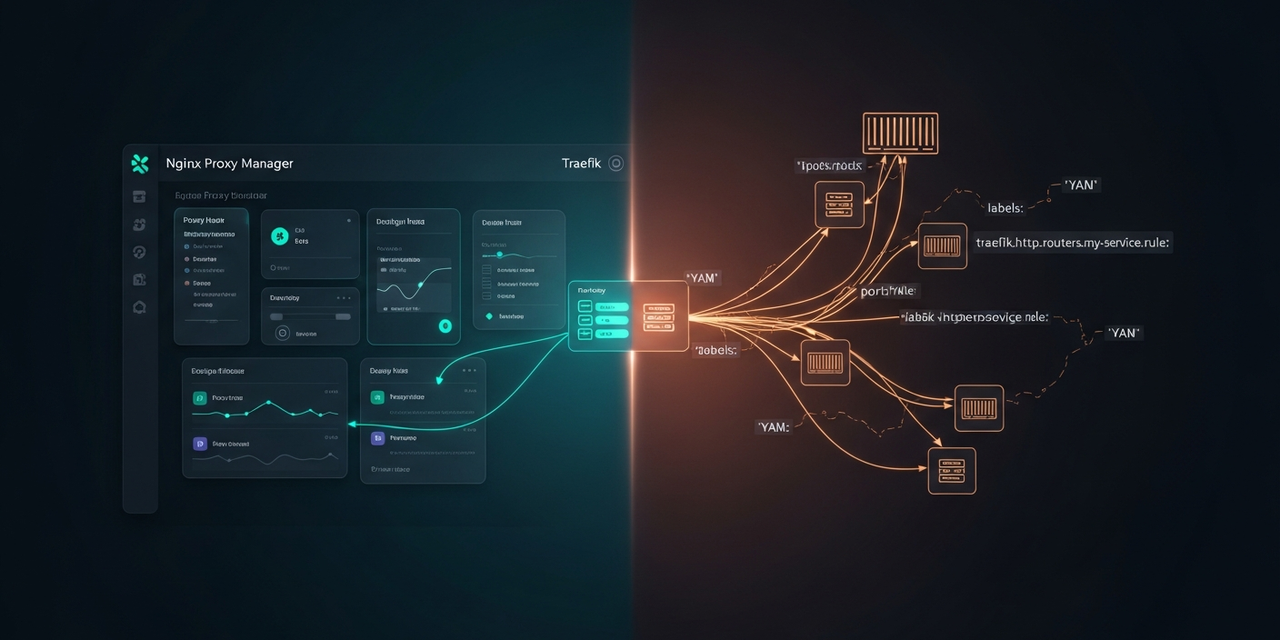
Starting Point: Why Switch at All?
I've been running the Nginx Proxy Manager (NPM) as the central reverse proxy in my homelab for about two years now. It terminates TLS for roughly 30 internal services – Home Assistant, Nextcloud, Grafana, Portainer, GitLab, various tinkering projects. Let's Encrypt certificates come in via the DNS challenge (Cloudflare), and I've already written an article about that setup.
The trigger for the Traefik test wasn't dissatisfaction, but three concrete pain points:
- New Docker containers keep landing in the NPM GUI manually. Create host, assign certificate, enable websockets – by the tenth time, it gets old.
- Config drift. The NPM configuration lives in a SQLite DB, not in Git. A restore is a volume backup, not something you can review.
- Middleware. Authentik ForwardAuth, per-service rate limiting, custom headers – in NPM that's either clumsy or outright impossible.
So: three weeks of Traefik v3 on a second machine. Here's the honest verdict.
TL;DR for the Impatient
NPM remains my main proxy for everything running on dedicated VMs/LXCs (HA, Nextcloud, etc.). Clickable, quick, and family and housemates understand the UI.
Traefik has moved in for my Docker Compose stacks on the homelab host. There, labels are simply a better fit than a second admin UI.
Result: hybrid setup. Not because I'm indecisive, but because the two tools solve different problems.
What NPM Does Really Well
Don't underestimate Nginx Proxy Manager. It isn't the "entry-level tool you grow out of" – for certain scenarios it's simply the better choice:
- Low barrier of entry. Installed in 3 minutes, first TLS certificate in 5 minutes. No YAML, no TOML, no documentation to plow through.
- Let's Encrypt DNS challenge in one click. Pick a provider, paste an API token, wildcard certificate – done.
- Access lists. IP-based access control with HTTP Basic Auth, clickable in the UI. Enough for 90% of homelab cases.
- Clarity for non-DevOps folks. You can see at a glance which services are reachable. No need to read
docker inspectoutput.
The big downside is exactly that strength: everything lives in a SQLite DB. No config-as-code, no Git, no review.
Where Traefik Shines
Traefik is fundamentally different by design. It's not a "reverse proxy with a UI", but a dynamic edge router that pulls its configuration from "providers" – Docker, Kubernetes, file, Consul. That sounds like overhead, but in practice it saves a lot of time.
My minimal setup for the homelab host looks like this:
# docker-compose.yml (Traefik)
services:
  traefik:
    image: traefik:v3.2
    restart: unless-stopped
    ports:
      - "80:80"
      - "443:443"
    volumes:
      - /var/run/docker.sock:/var/run/docker.sock:ro
      - ./traefik.yml:/etc/traefik/traefik.yml:ro
      - ./dynamic:/etc/traefik/dynamic:ro
      - ./letsencrypt:/letsencrypt
    environment:
      - CF_DNS_API_TOKEN=${CF_DNS_API_TOKEN}
    networks:
      - proxy

networks:
  proxy:
    external: true
The static configuration (traefik.yml) just tells Traefik to use Docker as a provider and to run Let's Encrypt via the Cloudflare DNS challenge. Every new service is added afterwards purely through Docker labels – no second place where I configure anything:
# Example: Uptime Kuma behind Traefik
services:
  uptime-kuma:
    image: louislam/uptime-kuma:1
    restart: unless-stopped
    volumes:
      - ./data:/app/data
    networks:
      - proxy
    labels:
      - "traefik.enable=true"
      - "traefik.http.routers.uptime.rule=Host(`uptime.homelab.example.com`)"
      - "traefik.http.routers.uptime.entrypoints=websecure"
      - "traefik.http.routers.uptime.tls.certresolver=cloudflare"
      - "traefik.http.services.uptime.loadbalancer.server.port=3001"

networks:
  proxy:
    external: true
docker compose up -d – done. Traefik detects the container, fetches the wildcard certificate (if not already present), and routes traffic. No clicking in any UI.
That's exactly the point: the service config lives with the service. The Git repo of the homelab stack is at the same time the complete proxy configuration.
The Tipping Point: Middleware
The area where NPM hits noticeable limits is middleware. Rate limiting, custom headers, forward auth against Authentik/Authelia – in NPM that only works via the "Advanced" field with raw nginx code, and then good luck with backups and portability.
In Traefik, Authentik ForwardAuth is just a label:
# Middleware defined once globally (dynamic/middlewares.yml)
http:
  middlewares:
    authentik:
      forwardAuth:
        address: "http://authentik-server:9000/outpost.goauthentik.io/auth/traefik"
        trustForwardHeader: true
        authResponseHeaders:
          - X-authentik-username
          - X-authentik-groups
          - X-authentik-email
# ...and per-service, just reference it:
labels:
- "traefik.enable=true"
- "traefik.http.routers.grafana.rule=Host(`grafana.homelab.example.com`)"
- "traefik.http.routers.grafana.middlewares=authentik@file"
- "traefik.http.routers.grafana.tls.certresolver=cloudflare"Defined once, reusable everywhere. That's the moment Traefik won my elasticity test.
The Honest Comparison
After three weeks of parallel operation, here's my take – no marketing, with a homelab (not enterprise) perspective:
- Setup time until the first working HTTPS host: NPM ~10 min, Traefik ~60 min (because you have to grasp the concepts once).
- Time per additional service: NPM ~3 minutes of clicking, Traefik ~30 seconds of copying labels.
- Config-as-code: NPM no (SQLite), Traefik yes (YAML in Git).
- Middleware / auth: NPM clumsy, Traefik native.
- Observability: Both have a dashboard. Traefik's dashboard is read-only, NPM lets you create configuration in it.
- Non-Docker backends: NPM trivial (enter IP + port). Traefik needs the
fileprovider with manual YAML. - If the proxy itself crashes: Both come back up automatically. With NPM, worst case you lose the SQLite (make backups!), with Traefik the state lives in the config +
acme.json.
Why I Didn't Shut NPM Down
The rational conclusion would be "Traefik everywhere". Why I didn't go there:
- Half of my services don't run in Docker on the same host. Home Assistant OS in a VM, Nextcloud in an LXC, the 3D-printer Pi, a Synology. For those non-Docker backends, Traefik offers no added value – I'd have to register them statically via the
fileprovider. Which is exactly what NPM does graphically, just written in YAML. - The second-person problem. When I'm on vacation and something breaks, my family or housemate should be able to see in the NPM UI whether the proxy even knows about that host. Nobody wants to read YAML.
- Don't fix what ain't broken. 30 hosts, 2 years without downtime – a replacement has a high bar to clear.
Where Traefik Moved In Anyway
On the Docker host with the tinkering projects – the box with 12 Compose stacks where something new gets added every week. That's where Traefik is a clear win.
The architecture now looks like this:
- Router / OpenWrt: Internal DNS points
*.homelab.example.comto the NPM IP. - NPM (VM): Terminates TLS for all non-Docker services. It also proxies a single host,
*.docker.homelab.example.com, onward to the Docker host. - Traefik (on the Docker host): Takes over from NPM there and routes into the respective containers via labels. Its own wildcard certificate via DNS challenge.
Deliberately pragmatic, not over-engineered. NPM stays the "human level", Traefik is the "machine level" for containers.
What I Left Out
A few things I deliberately didn't do, even though they show up in every other blog post:
- Traefik as the only entry point from the internet. My homelab services are deliberately only reachable internally (Wireguard for remote). So the "auto-HTTPS from the internet" strength is irrelevant for me.
- Kubernetes ingress. I don't run a K8s cluster at home. For K3s etc. Traefik would be the default anyway – but that's a different discussion.
- Caddy. Yes, Caddy does many things elegantly. I left it out of this comparison, otherwise the article gets endless. Maybe a future test.
Conclusion & Outlook
The question "Traefik or NPM" turned into "Traefik and NPM – which for what?" for me. NPM is an excellent reverse proxy for static backends and for people who want to click. Traefik is the natural partner for Docker Compose stacks and anything that needs middleware logic.
What's next: a follow-up article on the concrete Authentik setup with Traefik for internal tools – there's enough pitfall potential in that alone for its own post. And maybe the Caddy test eventually.
If you're facing this choice yourself: the fastest reality check is to count three services you'll set up in the next six months. Three Docker Compose stacks? Traefik. Two VMs and a NAS? Stay with NPM.