
I Know Docker. LXC Too? An Honest Starting Point on a Debian Server
Why LXC alongside Docker can make sense – and how to get started with Incus on Debian.
Docker has been running on my Debian server for years. LXC I only knew from Proxmox tutorials and ignored. This article honestly explains where the two tools differ, why LXC alongside Docker makes sense, and how to set it up with Incus directly on Debian – without Proxmox, without the Canonical drama.
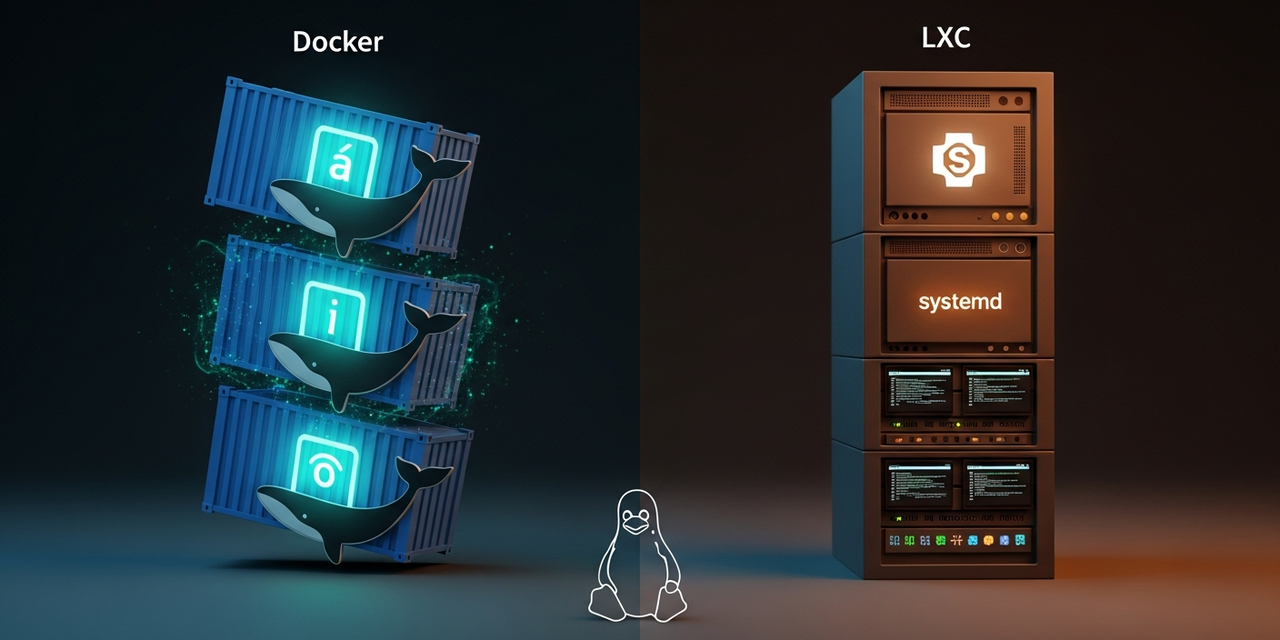
Starting Point: Docker Is Running, LXC Was Just a Term
My homelab Debian server has been running Docker for years. Compose stacks for Traefik, Uptime Kuma, a few tinkering projects, GitLab CI runners – the usual. Anything that ships with a docker-compose.yml is up and running in minutes.
LXC I only ever noticed at the margins. Mostly in Proxmox tutorials where people cheerfully pick between "VM or LXC?". I don't run Proxmox – so for years I ignored the topic, under the motto: "I have Docker, why would I need a second container stack?"
After a discussion about exactly that question, I was finally curious enough to take a serious look – directly on my Debian server, no Proxmox involved. This article is the starting point: the mental model, the setup with Incus, and my concrete plan for the next few weeks. The hands-on report with the real learnings will follow later.
Why Bother? Docker Is a Container, Right?
The first reaction: "A Docker container is a Linux container too, so why LXC?" Technically, that's true – both use the same kernel primitives (cgroups, namespaces). But they're built for different problems. The confusion comes from the word "container" being used for two very different concepts.
I never really noticed the distinction before because all my use cases happened to fit the app-container philosophy. But as soon as you run a service that behaves more like a real server – multiple processes, systemd, logrotate, cron jobs – you notice that Docker works, but keeps getting in its own way.
The Mental Model That Finally Clicks
Docker = an app packaged and shipped via images. One main process, ephemeral, image-centric, config lives in the compose.yml.
LXC = a mini Linux that feels like its own server. Multiple processes, systemd, long-lived. You SSH in and work like on a VM – just without the virtualization overhead.
In practical terms:
- Docker thinks in apps: one container = one service = one image. A restart throws the state away (unless volumes). An update means pulling a new image and replacing the container. Reproducibility and portability are the core strengths.
- LXC thinks in systems: one container = a tiny Debian/Ubuntu/Alpine. A restart keeps the state, just like a real server. An update means
apt upgradeinside the container.systemctl,journalctl, cron – all of it is there.
Same kernel primitives, completely different philosophies. Docker is plumbing-compatible with LXC, but conceptually a different animal.
Why Incus and Not "Just" LXC?
Quick detour into the politics. In the LXC world, three terms are easily confused:
- LXC – the low-level userspace tools for Linux containers. Around forever, works fine, but rough to use (
lxc-create,lxc-start, XML-ish configs). - LXD – the comfortable daemon + CLI built by Canonical. A great tool, but after Canonical put it under a CLA in 2023 and tied it closer to Ubuntu, the community forked it.
- Incus – the community fork of LXD, now under the Linux Containers Project umbrella. This is currently the recommended choice, especially on Debian. It ships in Debian 12 (backports) and Debian 13 directly in the repo.
So if you want to run LXC containers on Debian today: use Incus. The native lxc package technically works, but Incus gives you storage pools, networks, profiles, snapshots and a clean CLI all from one place.
Setup: Incus on Debian
The setup is refreshingly boring. I'm assuming Debian 13 (Trixie) here – on Debian 12 (Bookworm) it works the same, you just pull Incus from backports.
# As root or with sudo
apt update
apt install incus incus-ui-canonical

# Add your user to the incus-admin group
# so you can work without sudo:
adduser $USER incus-admin

# Log in again so the group membership takes effect
newgrp incus-admin
Then one interactive init run. For a homelab server, the defaults are almost always fine – I only deliberately pick the storage backend:
incus admin init

# The key questions:
# - Storage pool: "dir" (simple, /var/lib/incus) or "zfs" (if you have ZFS)
# - Network bridge: "incusbr0" with automatic NAT config — just say Yes
# - Available over the network? No (unless you know what you're doing)
That's it. The daemon is running, networking is set up, a storage pool exists. The first container is now a one-liner:
# Launch a Debian 12 container named 'test'
incus launch images:debian/12 test

# Open a shell inside the container
incus exec test -- bash

# You're now root in a mini Debian:
root@test:~# apt update && apt install nginx -y
root@test:~# systemctl status nginx
root@test:~# exit

# List containers
incus listAfter incus exec test -- bash you're inside a living system. systemd runs. apt works. Logs persist across restarts. The container feels just like a tiny VM – except incus start test completes in under a second and barely uses any RAM.
My Plan: What's Moving Into LXC Soon?
The exciting part: where will LXC replace or complement Docker for me? Based on what I've read so far, these are my three candidates for the coming weeks:
- Pi-hole / AdGuard Home. Pi-hole currently runs in Docker and does its job – but the combination of port 53, host networking and DNS chicken-and-egg at boot time has been annoying more than once. An LXC container with its own IP on the bridge network would be structurally cleaner.
- A GitLab Runner with
systemdworkloads. For CI jobs that build containers themselves and runsystemctltests (e.g. testing Ansible roles), LXC is a much more natural home than Docker-in-Docker gymnastics. - A playground. An LXC container where I can freely experiment with packages, configs and kernel modules without touching the host. Throw away the snapshot afterwards, everything gone – pure gold for learning projects.
What's not moving: all Compose stacks, Traefik, the tinkering projects. Those stay in Docker. Config-as-code, Git workflow, fast rollouts – that's what Docker is for, and LXC would make no sense there.
Docker Inside LXC? Short Answer: Probably Not
A question that comes up early: can't you just run Docker inside an LXC container? Yes, technically that works. On current Incus/kernel versions it's even reasonably painless, if you set the right security profiles (security.nesting=true).
But: that's a solution for cases where you already have Docker and additionally need isolation – for example in a multi-tenant environment or a CI runner. In a homelab with a single admin, it's overkill. If you want Docker, run Docker on the host. If you want a small Linux system, use LXC. Combine them only if you have a real reason to.
Where Docker Clearly Stays
So this doesn't turn into an LXC hype piece – the other direction, Docker is not getting replaced for these jobs:
- Anything that belongs together as a Compose stack. Traefik + Uptime Kuma + Grafana, shared network, one
up -d– LXC would only complicate that. - Anything with a good official image. Pull image, mount volume, done. No
apt install, no system tuning. - Anything that needs config-as-code. My homelab Git repo is at the same time the complete deployment definition. That's a setup I've built up over years – I'm not touching that.
- CI/CD and reproducible builds. Docker is simply the standard there.
What I Left Out
This article is deliberately a starting point. The following I intentionally did not cover, even though you quickly bump into these topics with LXC:
- Proxmox. I don't run Proxmox. If you do, you get a lot of this for free via the GUI – but this article is aimed at people with a plain Debian server.
- Unprivileged vs. privileged containers, user namespaces. Incus does the right thing by default (unprivileged). The detailed discussion belongs in its own article.
- Backup strategy for LXC containers. Coming as a follow-up article – likely with Restic, in line with what I'm planning for the rest of the homelab.
- Performance benchmarks. Would have bloated the article, and honestly: in a homelab the difference doesn't matter. I'll cover resource efficiency in the hands-on report.
Conclusion & What's Next
After the first pass through the topic, one thing is clear to me: Docker and LXC are not competitors, they are tools for different jobs. Docker stays the tool of choice for app deployments, Compose stacks and config-as-code. LXC fills the gap for services that behave more like small Linux servers, and for experimentation environments.
That all of this runs surprisingly calmly on a plain Debian server with Incus was the real surprise for me. You need neither Proxmox nor the Ubuntu tooling track.
Next up: I'll migrate Pi-hole from Docker to LXC, set up a GitLab Runner inside an LXC container, and build myself a playground environment. In a few weeks the hands-on report will follow – with pitfalls, learnings and an honest answer to the question: "Was the second container stack worth it?"
Until then: incus launch images:debian/12 test and see how it feels.