Starting point
I moved my email from my previous hosted mailbox (with SOGo as webmail) to a self-hosted Mailu 2024.06. Mailu runs in Docker on my VPS, with TLS_FLAVOR=mail and a Let's Encrypt certificate – and that certificate had an ECDSA key. That is about to matter. I described the DNS side of the move in the article on Mailu and DNSSEC.
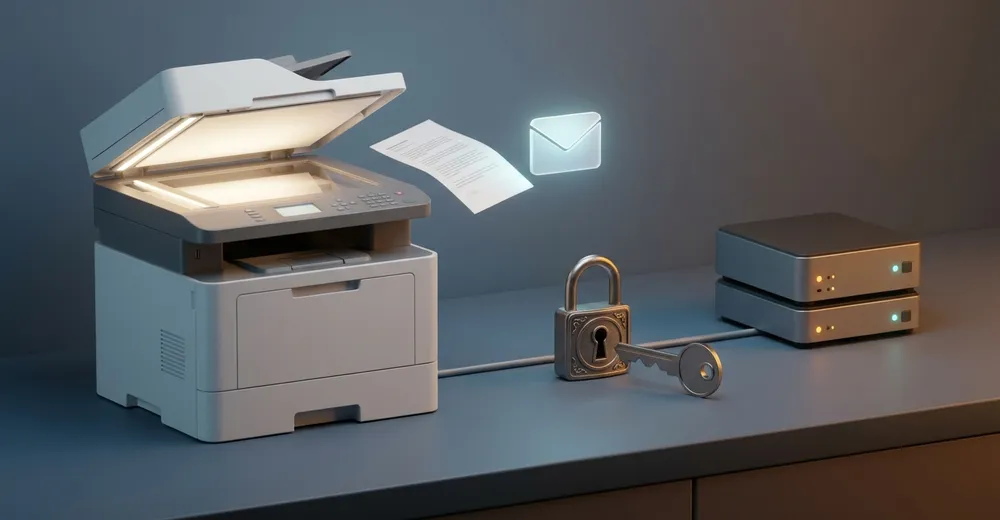
I have a Xerox WorkCentre 6515. It has a scan destination set up: the scanned document arrives by email at an alias, which a Sieve rule sorts straight into its own folder. A small convenience you only miss once it's gone.
After the move, I switched the Xerox's SMTP settings to the new mail server. At that point the device was running firmware 65.51.61 from 24.08.2021.
How it showed up
The first test scan failed with “invalid email address”. The job log said “Completed (Error)” with code 016-767, and the printer also printed an “undelivered jobs report”.
After a printer restart the error message changed – now it said “smtp over ssl failed”.
Two different errors for the same problem? As it turned out: two different problems, one after the other.
The investigation
Does the printer even reach Mailu?
The first place to look was the Mailu logs. On my setup Mailu logs to the journal, so:
journalctl -t mailu-smtp -t mailu-frontResult before the printer restart: not a single connection from the Xerox. So the printer reported “invalid email address” without ever having talked to the new server.
In parallel, I pulled the printer's job log from its web interface (EWS, Embedded Web Server) using Playwright.
DNS?
The obvious suspect: the printer resolves the new mail server's name incorrectly on the home network. I checked that with a small Python script of my own that queries the router and my AdGuard directly. Both returned the correct address. So it wasn't DNS.
After the restart: finally an error on the server side
After the printer restart, the Xerox did show up in the Mailu log after all – with this entry on the submission port:
submission-login: ... SSL_accept() failed: error:0A0000C1:SSL routines::no shared cipher ... lport=587“no shared cipher” means: during the TLS handshake, client and server could not agree on a single common cipher suite. The connection arrives but fails before any SMTP is spoken.
In the printer's SSL/TLS settings, TLS 1.1 and TLS 1.2 were enabled, TLS 1.0 was off. So the protocol version wasn't the problem – both sides speak TLS 1.2.
Which ciphers does each side actually support?
To settle this properly, I probed both sides with openssl s_client: a loop over the cipher list, each time with -tls1_2 and @SECLEVEL=0 so that OpenSSL offers old suites at all. Roughly like this:
for c in $(openssl ciphers 'ALL:@SECLEVEL=0' | tr ':' ' '); do
  if echo | openssl s_client -connect <ziel>:<port> -tls1_2 \
       -cipher "$c@SECLEVEL=0" >/dev/null 2>&1; then
    echo "OK: $c"
  fi
done
For SMTP on port 587, add -starttls smtp.
For the printer I used a workaround: you can't query the Xerox's SMTP client this way. So I tested its HTTPS server on port 443 as a stand-in for what the firmware's TLS stack can do. The result:
- Xerox (HTTPS, port 443), TLS 1.2: AES256-SHA256, AES128-SHA256, AES256-SHA, AES128-SHA
- Mailu (submission, port 587), TLS 1.2: ECDHE-ECDSA-AES256-GCM-SHA384, ECDHE-ECDSA-CHACHA20-POLY1305, ECDHE-ECDSA-AES128-GCM-SHA256
Not a single overlap. The printer only supports suites with RSA key exchange (no ECDHE), while Mailu only offers ECDHE with ECDSA authentication.
Is there newer firmware?
The next question was: can the printer do more with newer firmware? According to the Xerox document “VersaLink Product Enhancements SPAR x.64.51”, the suites TLS_ECDHE_RSA_WITH_AES_128_GCM and TLS_ECDHE_RSA_WITH_AES_256_GCM are available from version x.64.51 – but not automatically, only after entering a Feature Enablement Key. Xerox gives the code in that very document.
From my version 65.51.61, the path leads through a bridge version 65.59.11. And the WC6515 has no firmware upload in its web interface – there is only the Windows tool FWDLMgr, which sends the firmware to the printer over port 9100.
The dead ends
I took a few wrong turns before the picture became clear. They belong here because each of them looked plausible at first.
“Name resolution on the home network is wrong.” With a mail server move, DNS is the classic culprit. But the queries against the router and AdGuard both returned the correct address – suspicion refuted.
“The printer is already talking to Mailu, and Mailu rejects the recipient.” The message “invalid email address” suggests exactly that. The empty Mailu log killed this theory: there was no connection at all. The Xerox apparently only applies a changed SMTP setting after a restart. Until then it presumably kept sending through the old mail server and got the error message from there – but that is inferred; I didn't check the old provider's log.
“The firmware is from 2019, an update is uncertain.” My first version number came from the printer's IPP data and was 1.57.12. But that is only the controller's partial version. The actual firmware version was in the web interface: 65.51.61. Only with this number could I read the Xerox documentation correctly – and find out that firmware with ECDHE_RSA does exist.
“I'll just allow the old ciphers in Mailu.” Sounds like the quickest way. But I dropped it without trying: suites like AES128-SHA with RSA key exchange require an RSA certificate. With my ECDSA certificate, Mailu couldn't have offered them at all, no matter what the cipher list says. That was analysis, not a test.
The cause
There were two causes, one after the other:
- The Xerox only applies changed SMTP settings after a restart. Until then, sending didn't go through Mailu, and the “invalid email address” error had nothing to do with the new server.
- There was no shared cipher. As a client, the old firmware only supports RSA key exchange (AES-SHA/SHA256, no ECDHE). Mailu with an ECDSA certificate only offers ECDHE-ECDSA. The old provider offered both – which is why the problem never showed up there.
That's what makes it so insidious: nothing changed on the printer, and nothing is misconfigured on the new mail server. Only the combination of a modern default configuration and old firmware doesn't fit together.
The solution
The solution works on both ends: the printer learns ECDHE_RSA, and Mailu gets an RSA certificate so that it can offer ECDHE_RSA at all.
1. Restart the printer
Trivial, but necessary: after changing the SMTP settings, restart the Xerox at the device. Without that, it won't even talk to the new server.
2. Install the firmware – from a Windows VM
FWDLMgr only exists for Windows. For that I used a Windows 11 VM under libvirt and operated it via virsh send-key and mouse clicks over QMP. Not elegant, but it works.
With FWDLMgr 5.3.7 I installed the firmware over the network in two steps:
- Bridge version 65.59.11 (controller version from 1.57.12 to 1.69.1)
- Then 65.76.91 (controller version 1.99.0)
3. Enter the Feature Enablement Key
The new cipher suites are not yet active after the update. I entered the enablement code from the Xerox document in the web interface under System → Security → Feature Activation and restarted the printer afterwards. I'm not quoting the code itself here – it is in the Xerox document mentioned above.
4. Switch the Mailu certificate to RSA
For Mailu to offer ECDHE-RSA-*, it needs an RSA certificate. I had the existing Let's Encrypt certificate reissued with an RSA key via certbot:
certbot certonly --cert-name <zertifikatsname> \
  -d mx.example.org -d mail.example.org \
  --webroot -w /var/www/_letsencrypt \
  --key-type rsa --rsa-key-size 2048 \
  --force-renewal
Then I ran my deploy hook (mailu-zertifikat.sh), which hands the new certificate to Mailu.
Beforehand I made backups: cert.pem and key.pem as *.bak-vor-rsa, and likewise certbot's renewal configuration.
The proof
Printer: After the feature key, the Xerox negotiates the new suite:
openssl s_client -connect <drucker-ip>:443 -tls1_2 -cipher ECDHE-RSA-AES128-GCM-SHA256Cipher: ECDHE-RSA-AES128-GCM-SHA256Before, this spot only showed 0000 – no handshake.
Mailu: The certificate is now RSA:
openssl x509 -in cert.pem -noout -text | grep "Public Key Algorithm"Public Key Algorithm: rsaEncryptionOn port 465, Mailu negotiates ECDHE-RSA-AES128-GCM-SHA256, and on ports 993, 587 and 25, openssl s_client reports Verify return code: 0 (ok) each time.
The real test: a scan at the printer. In the Mailu log, the Xerox now shows up with a SASL login, and the mail is delivered:
... orig_to=<scan-adresse@example.org> ... status=sent (250 2.0.0 ... Saved)The Sieve rule filed the mail as intended – Scan-to-Mail works again.
What remains open
Will the certificate stay RSA? The renewal configuration now says key_type = rsa. I haven't yet verified that automatic renewal really keeps it. If certbot ever issues an ECDSA certificate again, the printer is locked out immediately.
Takeaway
If an older device suddenly stops sending mail after a mail server move, look at both sides of the TLS handshake. Enumerating the cipher lists with openssl s_client immediately shows whether there is any overlap at all.
And two lessons specific to this case: an ECDSA certificate locks out clients that only support RSA key exchange – no matter how generous the cipher list is. And with Xerox printers: after changing the SMTP settings, restart first, then look for errors.
Ad · Affiliate link – if you buy through it, I may earn a commission. It doesn’t change the price for you.